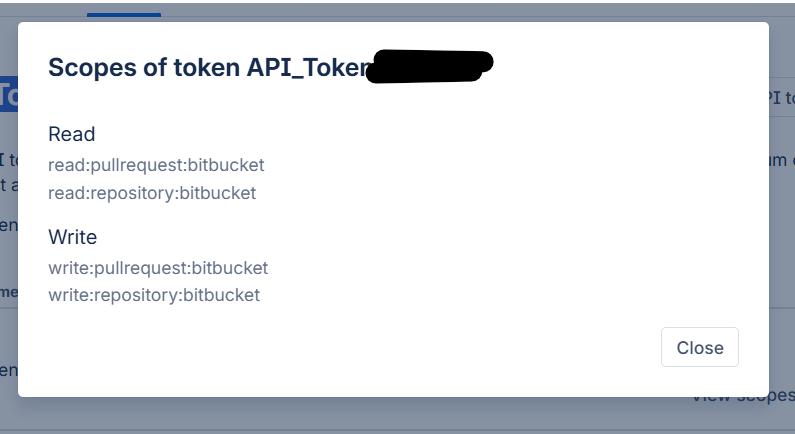
A Bitbucket API token (App Password) is used to securely authenticate Git operations without exposing your main account password. Follow the steps below to create your token.
Step 1: Log in to Bitbucket using your login credentials.
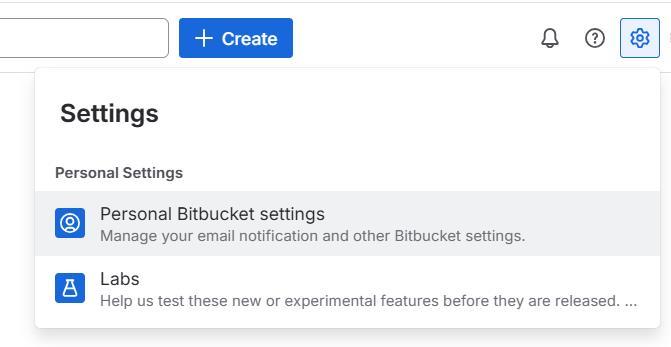
Step 2: Click the gear icon in the top-right corner, then select Personal Bitbucket settings, or go directly to https://bitbucket.org/account/settings/.
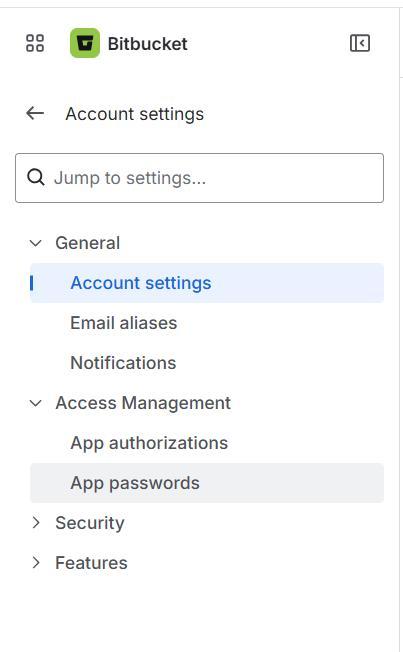
Step 3: In the left sidebar, click App passwords, or open https://bitbucket.org/account/settings/app-passwords/ directly.
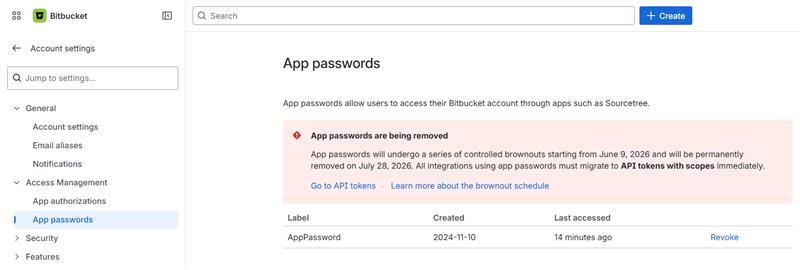
Step 4: Click Go to API tokens, or directly open https://id.atlassian.com/manage-profile/security/api-tokens.
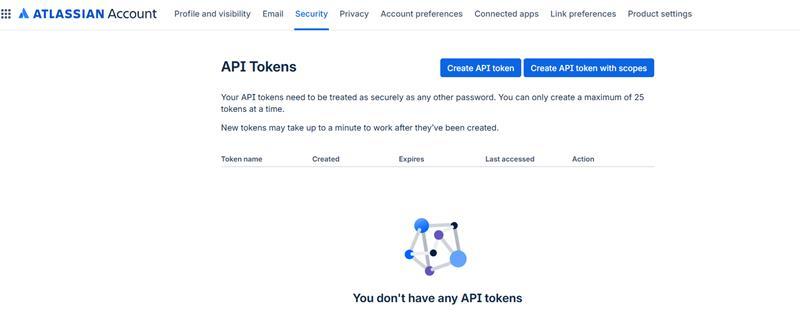
Step 5: Click Create API token with scopes.
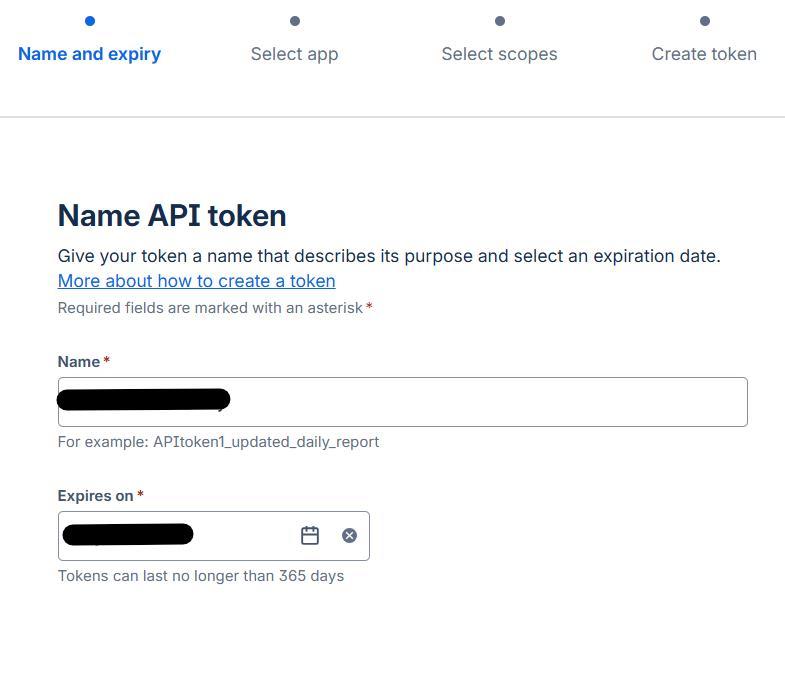
Step 6: Enter a name and select an expiry date, then click Next.
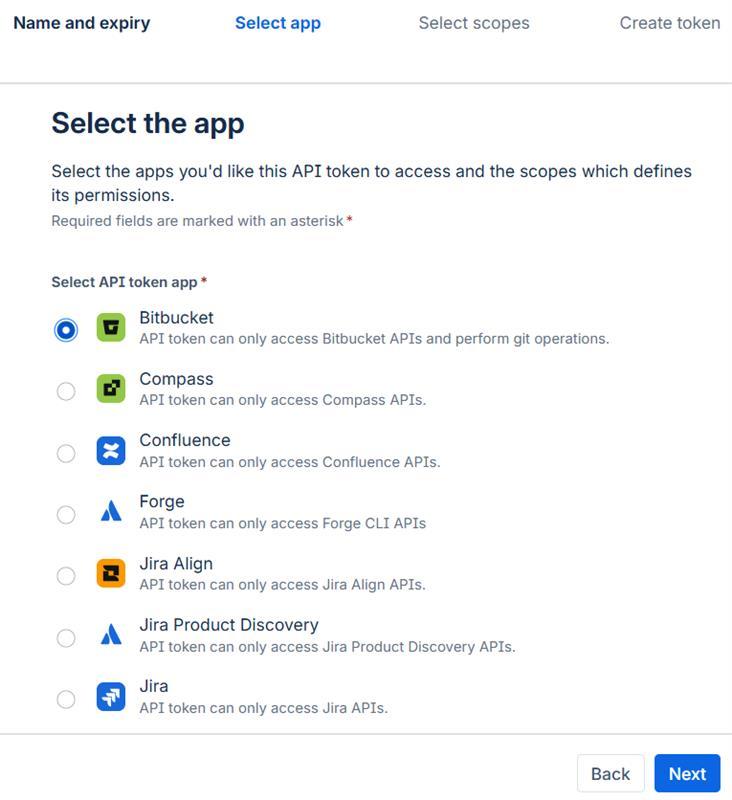
Step 7: Select the required apps, then click Next.
Step 8: Select the required Bitbucket scopes and click Next.
- read:pullrequest:bitbucket – View your pull requests
- write:pullrequest:bitbucket – Modify your pull requests
- read:repository:bitbucket – View your repositories
- write:repository:bitbucket – Modify your repositories
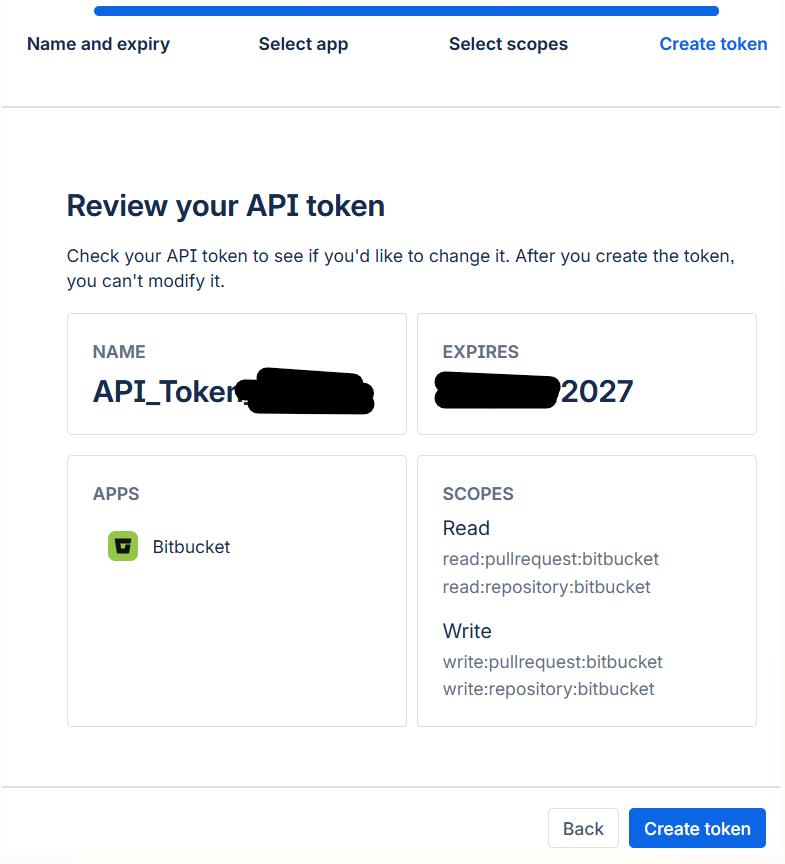
Step 9: Review the details, then click Create token.
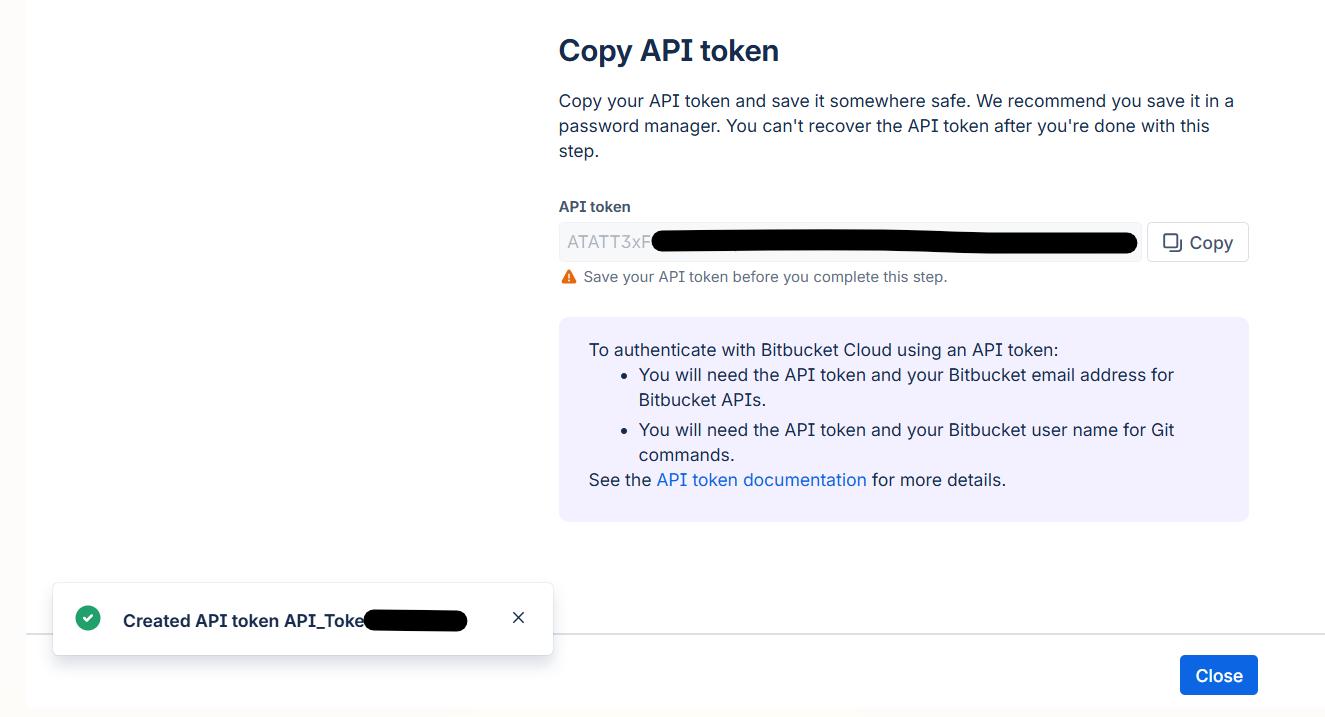
Step 10: Copy the token and store it securely for future use, then click Close.
Step 11: The newly created token will now be visible on the API tokens page.
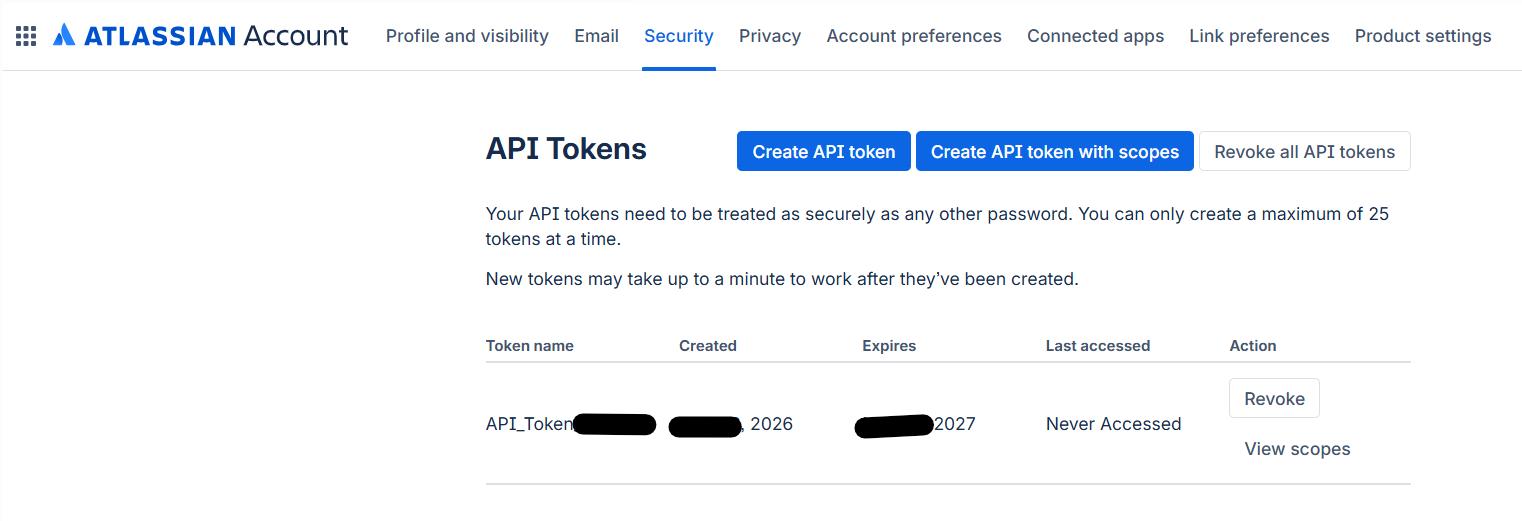
Step 12: Click View scopes to review and verify the selected permissions.