In some cases, you may need to open a URL in a new tab or window using jQuery, such as for external websites, popup content, or redirect actions. This can be done simply by using JavaScript’s window.open() method within jQuery event handlers.
Simple jQuery Example for Opening a Link
<!DOCTYPE html>
<html>
<head>
	<meta charset="utf-8">
	<meta name="viewport" content="width=device-width, initial-scale=1">
	<title>JQuery Open Link in New Window Example</title>
	<script src="https://cdnjs.cloudflare.com/ajax/libs/jquery/3.7.1/jquery.min.js"></script>
</head>
<body>
<button id="btnOpenWebsite">Open Codepits Website</button>

<script>
	$(document).ready(function(){
	    $('#btnOpenWebsite').click(function(){
	        window.open('https://www.codepits.com', '_blank');
	    });
	});
</script>
</body>
</html>
How It Works
- URL: The web address or page that will be opened
- _blank: Opens the link in a new tab or window
Open Link Using Anchor Tag
You can also trigger opening a link from an existing element.
<!DOCTYPE html>
<html>
<head>
	<meta charset="utf-8">
	<meta name="viewport" content="width=device-width, initial-scale=1">
	<title>JQuery Open Link in New Window Example</title>
	<script src="https://cdnjs.cloudflare.com/ajax/libs/jquery/3.7.1/jquery.min.js"></script>
</head>
<body>
<a href="#" id="btnOpenWebsite">Open Codepits Website</a>

<script>
	$(document).ready(function(){
	    $('#btnOpenWebsite').click(function(e){
	    	e.preventDefault();
	        window.open('https://www.codepits.com', '_blank');
	    });
	});
</script>
</body>
</html>
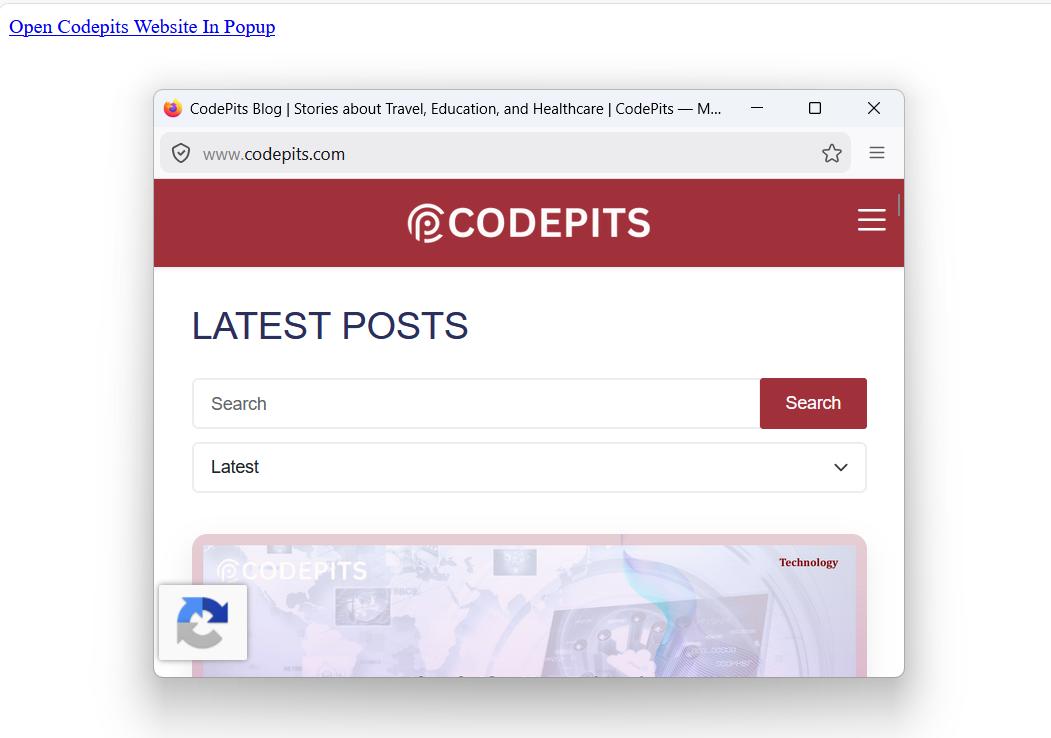
Open Popup Window with Size
<!DOCTYPE html>
<html>
<head>
	<meta charset="utf-8">
	<meta name="viewport" content="width=device-width, initial-scale=1">
	<title>JQuery Open Link in New Window Example</title>
	<script src="https://cdnjs.cloudflare.com/ajax/libs/jquery/3.7.1/jquery.min.js"></script>
</head>
<body>
<a href="#" id="btnOpenWebsite">Open Codepits Website In Popup</a>

<script>
	$(document).ready(function(){
	    $('#btnOpenWebsite').click(function(e){
	    	e.preventDefault();

	        window.open(
			    'https://www.codepits.com',
			    'popupWindow',
			    'width=600,height=400'
			);
	    });
	});
</script>
</body>
</html>
Open Dynamic URL Example
<!DOCTYPE html>
<html>
<head>
	<meta charset="utf-8">
	<meta name="viewport" content="width=device-width, initial-scale=1">
	<title>JQuery Open Link in New Window Example</title>
	<script src="https://cdnjs.cloudflare.com/ajax/libs/jquery/3.7.1/jquery.min.js"></script>
</head>
<body>
<button class="btnOpenWebsite" data-url="https://www.codepits.com">
    Open Codepits Website
</button>

<script>
	$(document).ready(function(){
	    $('.btnOpenWebsite').click(function(){
	        var url = $(this).data('url');
	        window.open(url, '_blank');
	    });
	});
</script>
</body>
</html>
_blank vs _self
_blank: Opens the link in a new tab or window_self: Opens the link in the same tab or window
Best Practice
For improved security when opening external links:
window.open(url, '_blank', 'noopener,noreferrer');
This helps ensure the newly opened page cannot access your window object.